Overview
Emojist lives in your menu bar and inserts emoji wherever you are typing, in any app. As you type a word, a small suggestion bar appears just above your cursor and narrows with every letter you add. Press a number from 1 to 9 to replace the word with that emoji, or hold Option and press a number to keep the word and add the emoji next to it. It is the speed of a keyboard shortcut with the memory of a picker.
You decide how much it does. Every emoji starts in Suggest, so nothing ever inserts on its own. Flip the ones you use most to Auto and they type themselves, hands-free, on their exact keywords, and a single backspace right after undoes it. Multi-word Phrases suggest emoji for a whole expression, so "on my way" offers a car and a runner and "in sha allah" offers folded hands. Quick Triggers expand a shortcut like .saudi into its flag. And with one keystroke you can sprinkle matching emoji through a whole selection, or strip them all back out.
It ships with an English database of 1,898 emoji carrying over 11,000 keywords and 743 phrases, and every keyword, phrase, and shortcut is yours to edit. Your changes save automatically, keep rolling backups, and reset to defaults in one click. There is no account and no sign-in. Everything Emojist knows stays on your Mac, and nothing you type ever leaves it.
Features
The right emoji, as you type it.
-
The suggestion bar
Start typing and a bar appears above your cursor, narrowing with each letter. Press 1 to 9 to replace the word with the emoji, or hold Option and press a number to add it next to the word and stack more. It reads your text cursor, so it lands exactly where you are writing, in any app.
-
Auto-insert, when you want it
Every emoji starts in Suggest, so nothing inserts on its own. Flip the ones you rely on to Auto and they type themselves the moment you finish their exact keyword. Changed your mind? A single backspace right after puts your word back.
-
Phrases for whole expressions
Some feelings need more than one word. Type "good morning", "happy birthday", or "in sha allah" and Emojist suggests emoji for the whole phrase, not just the last word. All 743 phrases are editable, and you can add your own.
-
Quick Triggers
Define your own shortcuts. Type
.saudiand it expands into the flag,.brbinto whatever you like. Yours to name, unique so they never collide. -
Apply and Strip
Select a sentence and press a shortcut to sprinkle matching emoji through it, or strip every emoji back out and even replace each with its name. One keystroke, a whole selection.
-
A catalog you control
1,898 emoji with over 11,000 keywords and 743 phrases, browsable by category or search. Set each emoji to Suggest, Auto, or Off, add and remove keywords, and the app flags conflicts so two emoji never fight over the same word.
-
Private by design
To place an emoji where you type, Emojist watches your keystrokes, entirely on your Mac. Nothing you type is stored, logged, or sent anywhere. No account, no analytics, no tracking. It also stays quiet in terminals, code editors, and password fields.
-
Backups and reset
Every change saves itself and Emojist keeps the last ten backups automatically. Export or import your customizations as a file, restore the latest backup, or reset everything to defaults in a click, with a backup saved first.
-
Automatic updates
Developer ID signed and notarized, with built-in automatic updates. New versions arrive quietly, and you are always in control of when to install.
Screenshots
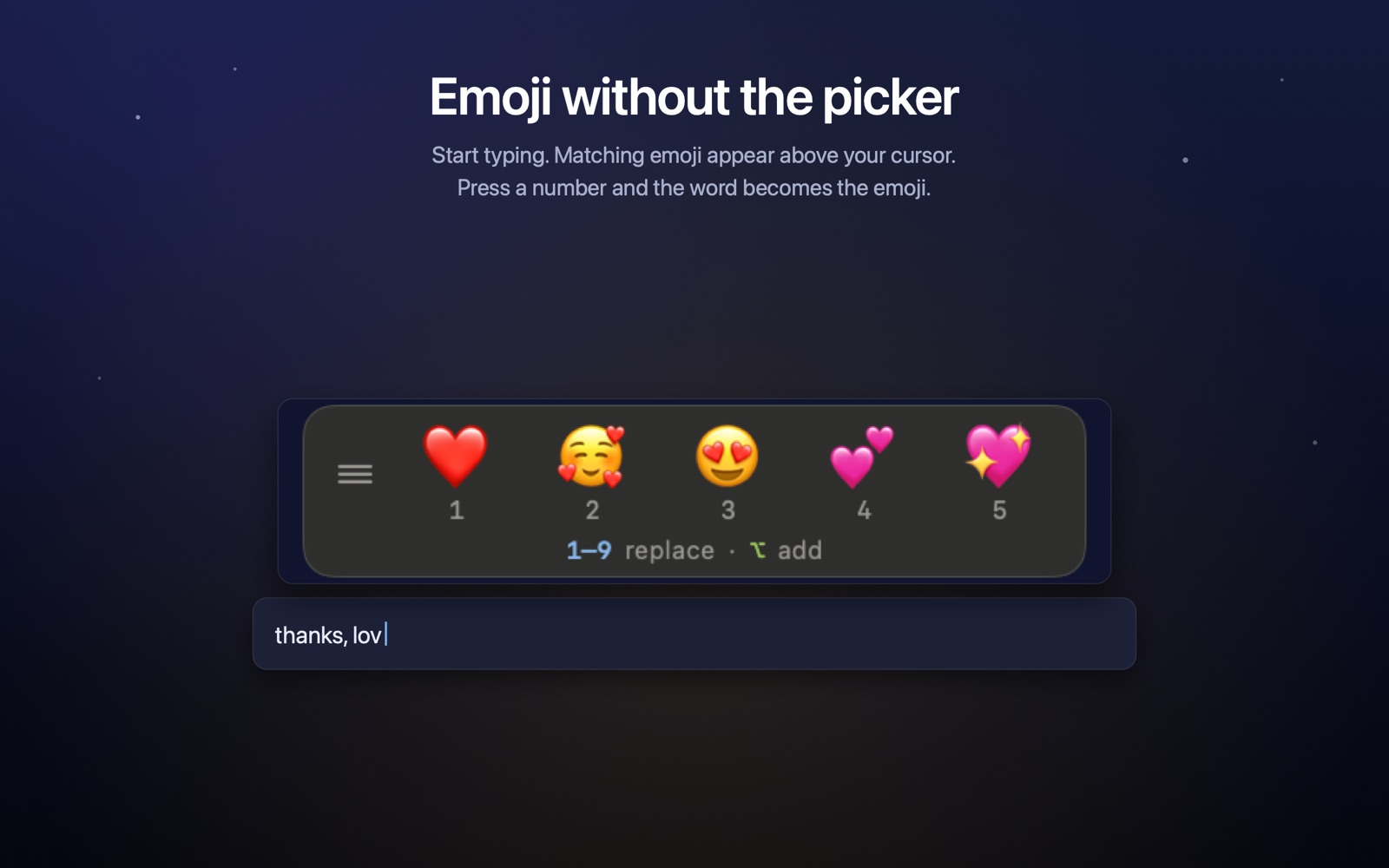
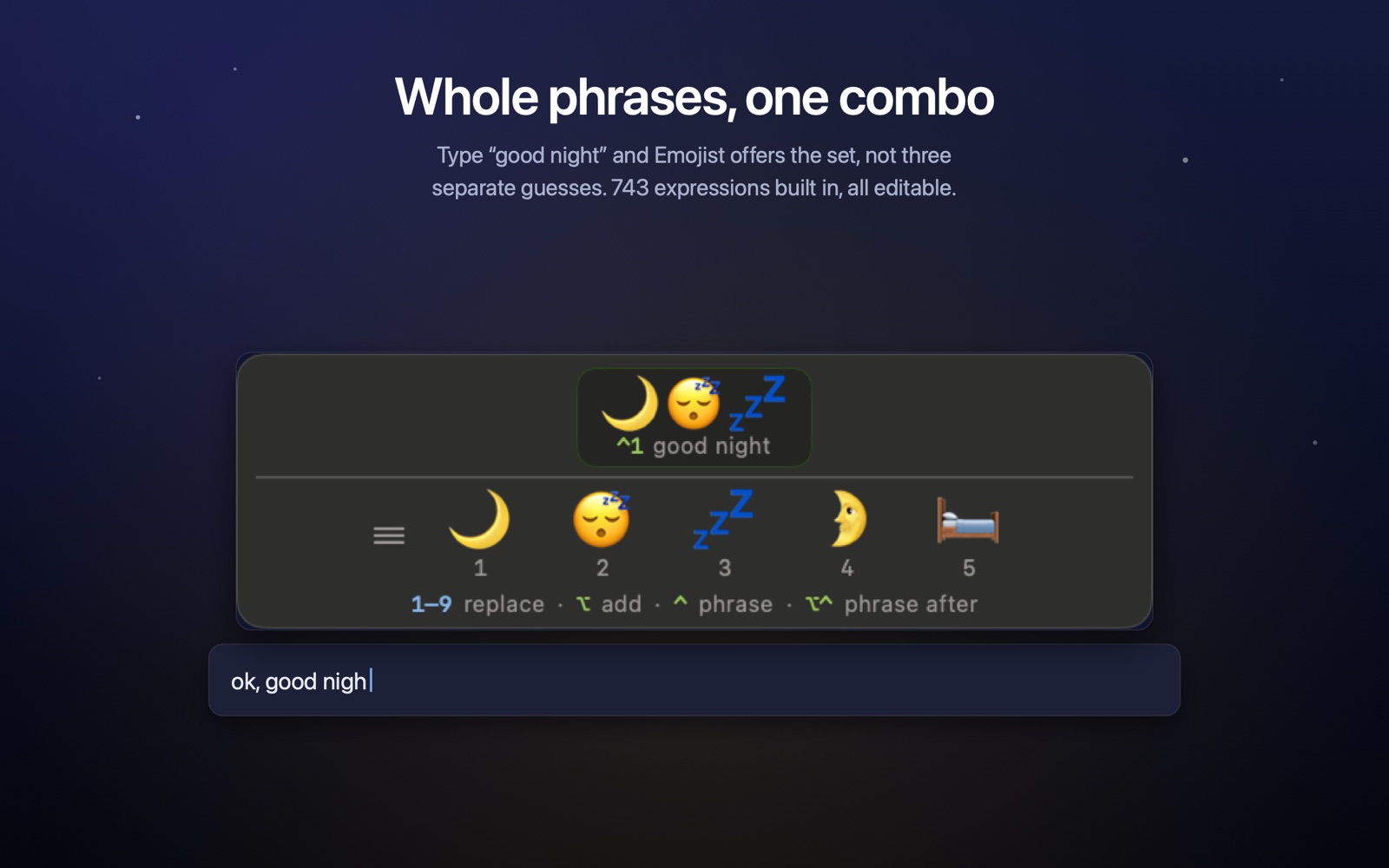
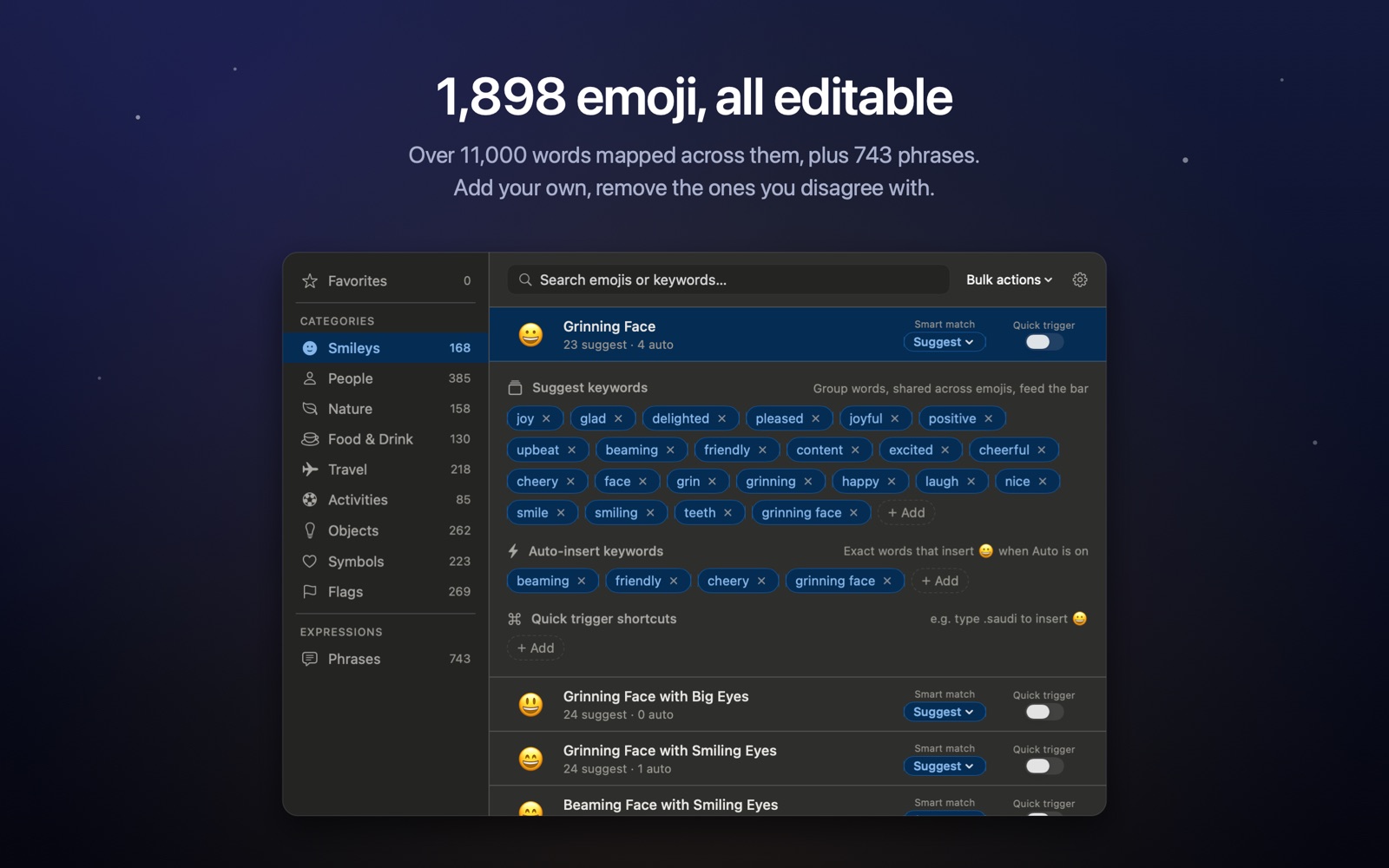
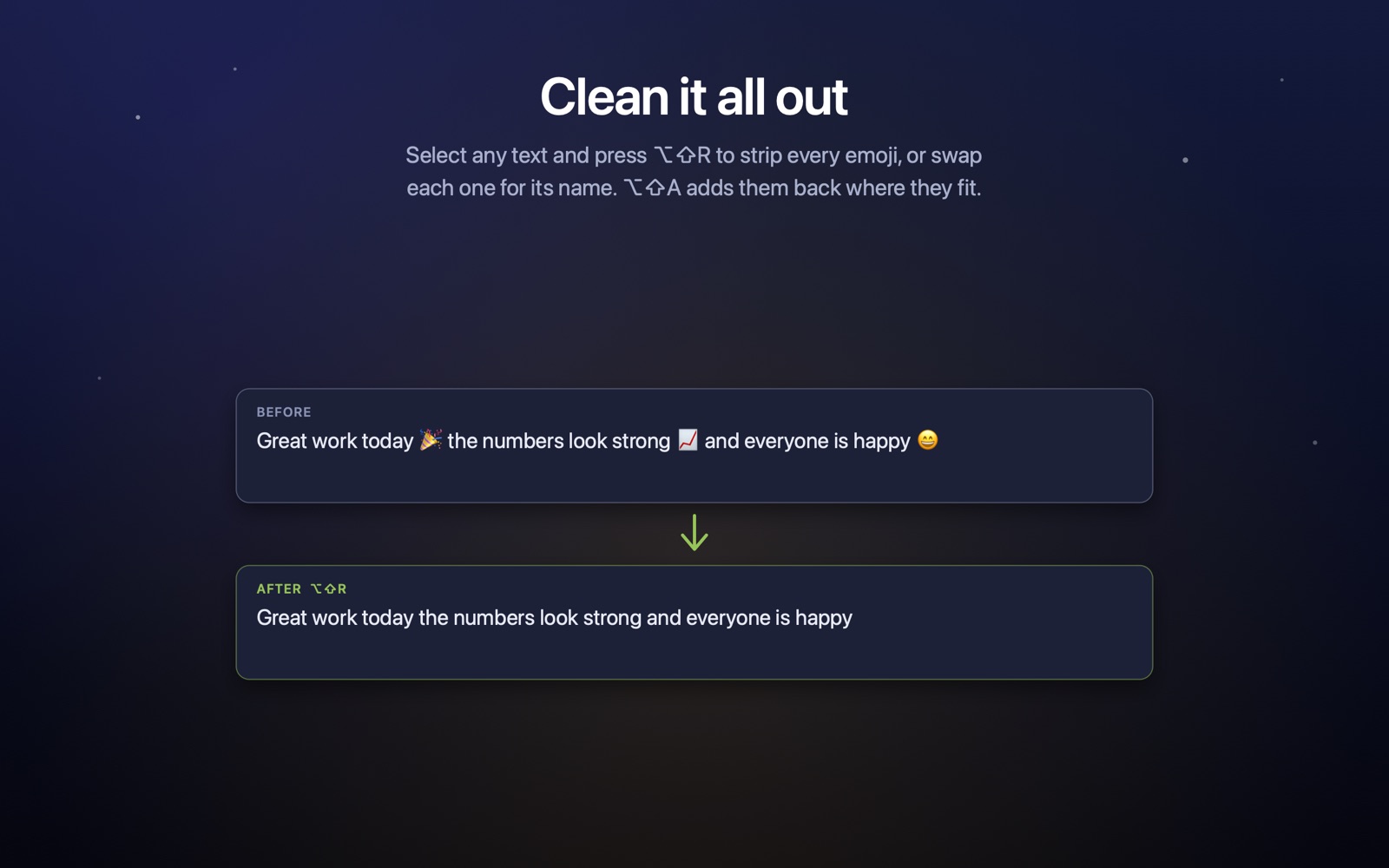
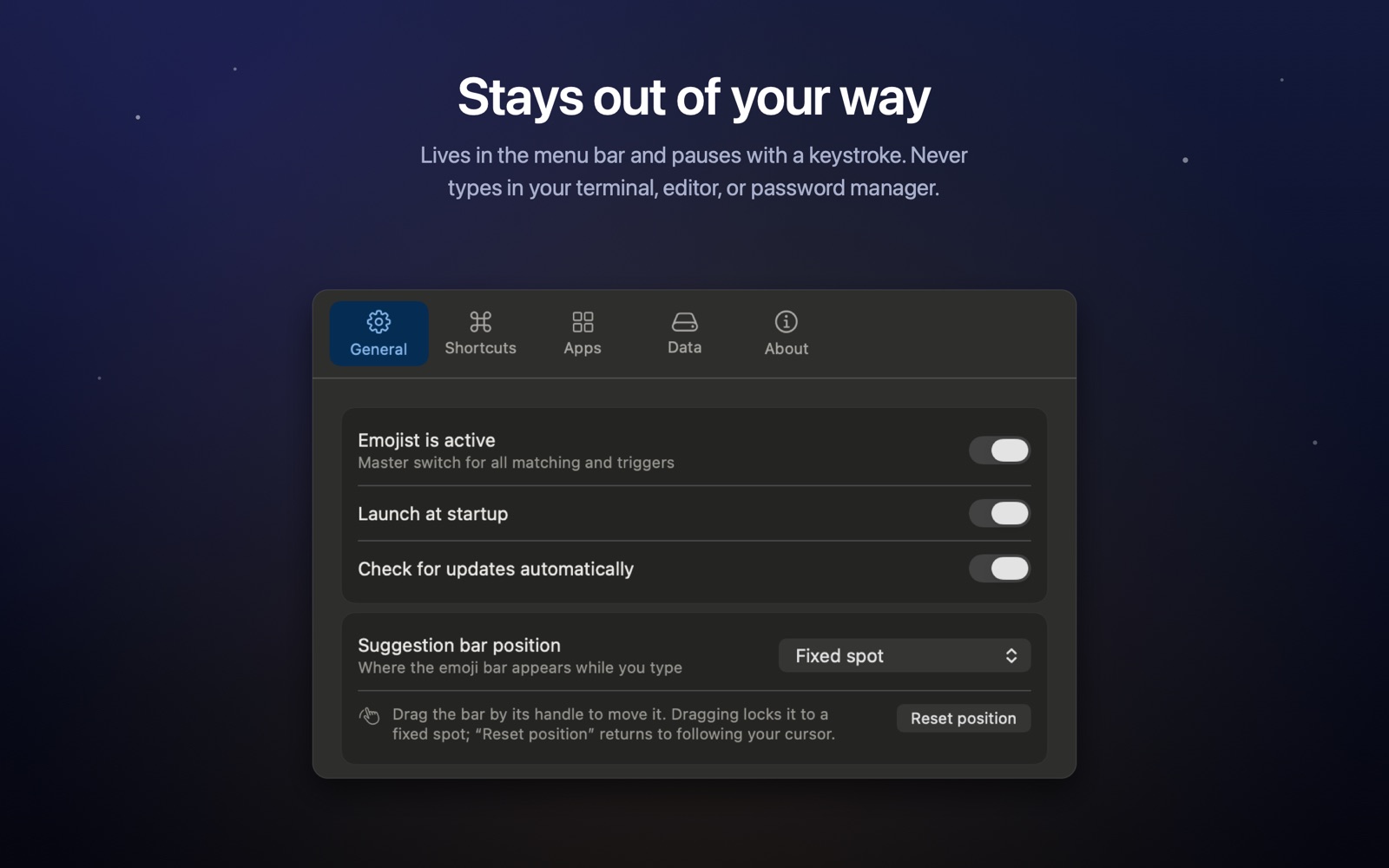
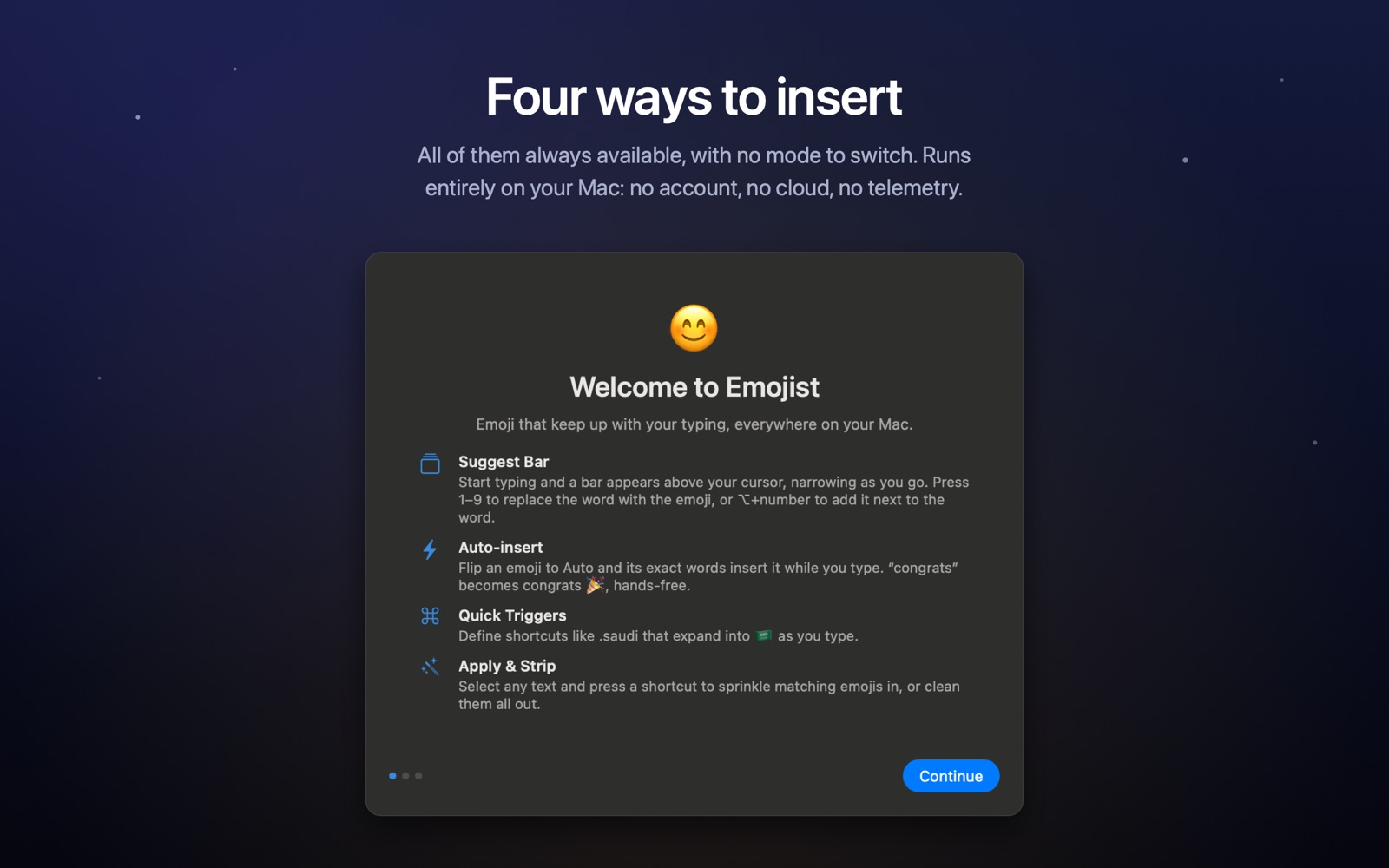
A short tour: the bar as you type, phrase combos, the catalog, and cleaning emoji back out.
Version history
-
1.0.024 July 2026
First release. A menu-bar emoji manager that keeps up with your typing. As you type, a suggestion bar appears above your cursor and narrows with each letter: press 1 to 9 to replace the word with the emoji, or Option and a number to add it next to the word. Turn any emoji to Auto to have it inserted hands-free on its exact keywords. Multi-word Phrases suggest emoji for whole expressions, all editable, and Quick Triggers expand shortcuts such as .saudi into a flag. Apply emoji to a selection or strip them out with a shortcut. Ships an English database of 1,898 emoji with over 11,000 editable keywords and 743 phrases, automatic backups, and one-click reset. Everything stays on your Mac and nothing you type ever leaves it. Developer ID signed and notarized, with built-in automatic updates.
Privacy
Nothing you type ever leaves your Mac
To insert an emoji where you are typing, Emojist needs to see your keystrokes, and it does that entirely on your device. What you type is matched against the keyword list in memory and then discarded. It is never stored, never written to a log, and never sent anywhere. There is no account, no analytics, and no tracking. The only time Emojist reaches the network is to check for its own updates. It also stays silent in terminals, code editors, and password managers, and never runs in secure password fields.
Read the full privacy policy →