Margin
Capture in plain words. Keep the whole day in sight.
Coming to the Mac App Store · What is new · Privacy
Overview
Margin lives in your menu bar and starts with one keystroke. Press Option+Space, type a plain sentence in English or Arabic, and it becomes an Apple Reminder or a Calendar event, however you phrase the time. "Lunch tomorrow 12 to 1" just works.
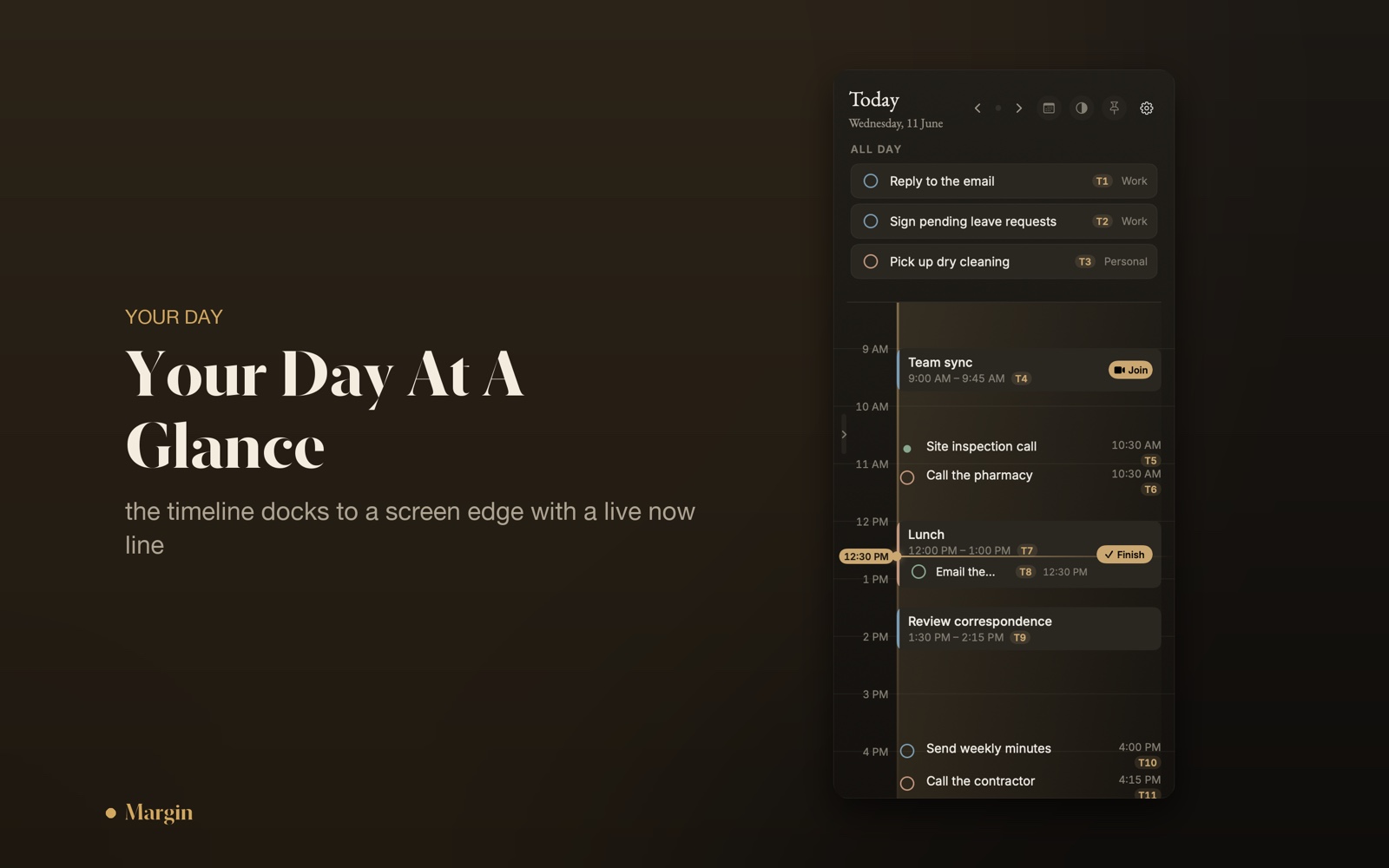
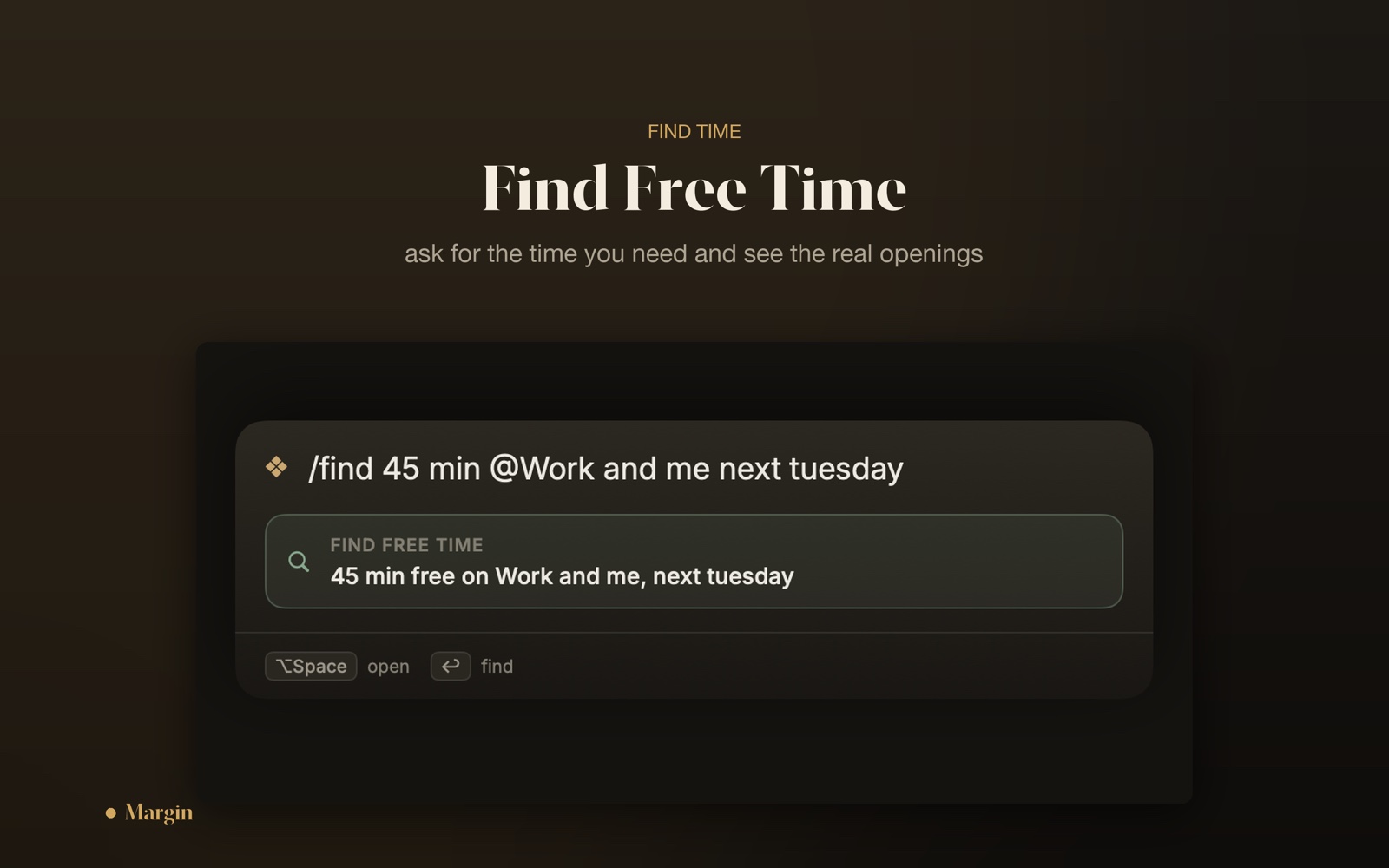
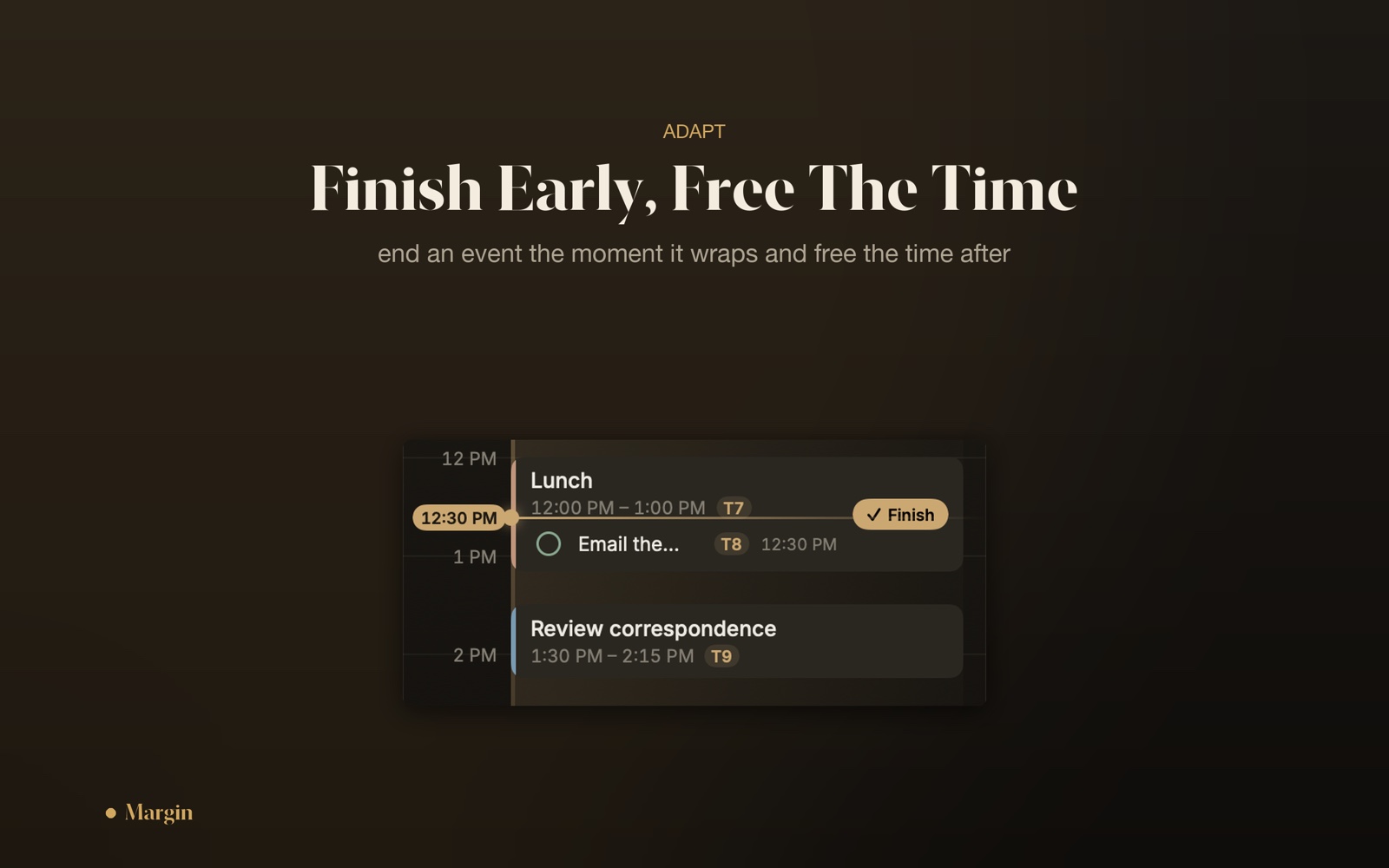
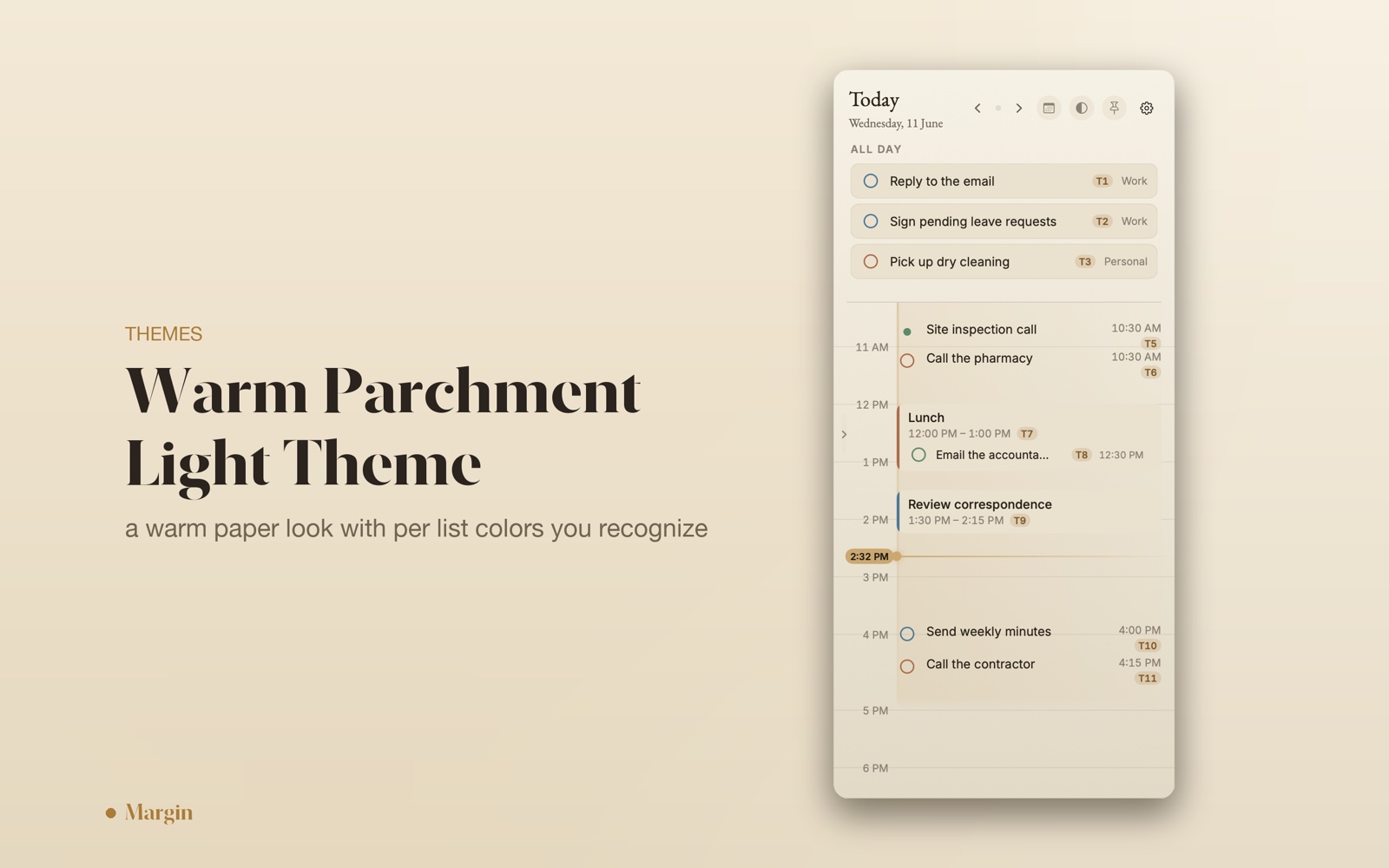
The other half is a slim day timeline docked to the edge of your screen, with a live now line and a working-hours band, so the shape of the day is always in view. Ask it to find a free slot, drag a block to reschedule with a precision magnifier, finish a meeting early to reclaim the time, plan around a colleague's shared calendar, and send items to any list by typing an at sign.
Everything runs on Apple's own EventKit, syncing two ways with Apple Reminders and Calendar, with no account. An optional assistant, Apple Intelligence on your Mac or your own OpenAI, Anthropic, or Gemini key, fills in only the date and time and never rewrites your words. Margin is coming to the Mac App Store, and as a Developer ID notarized direct download.
Demo
See it move.
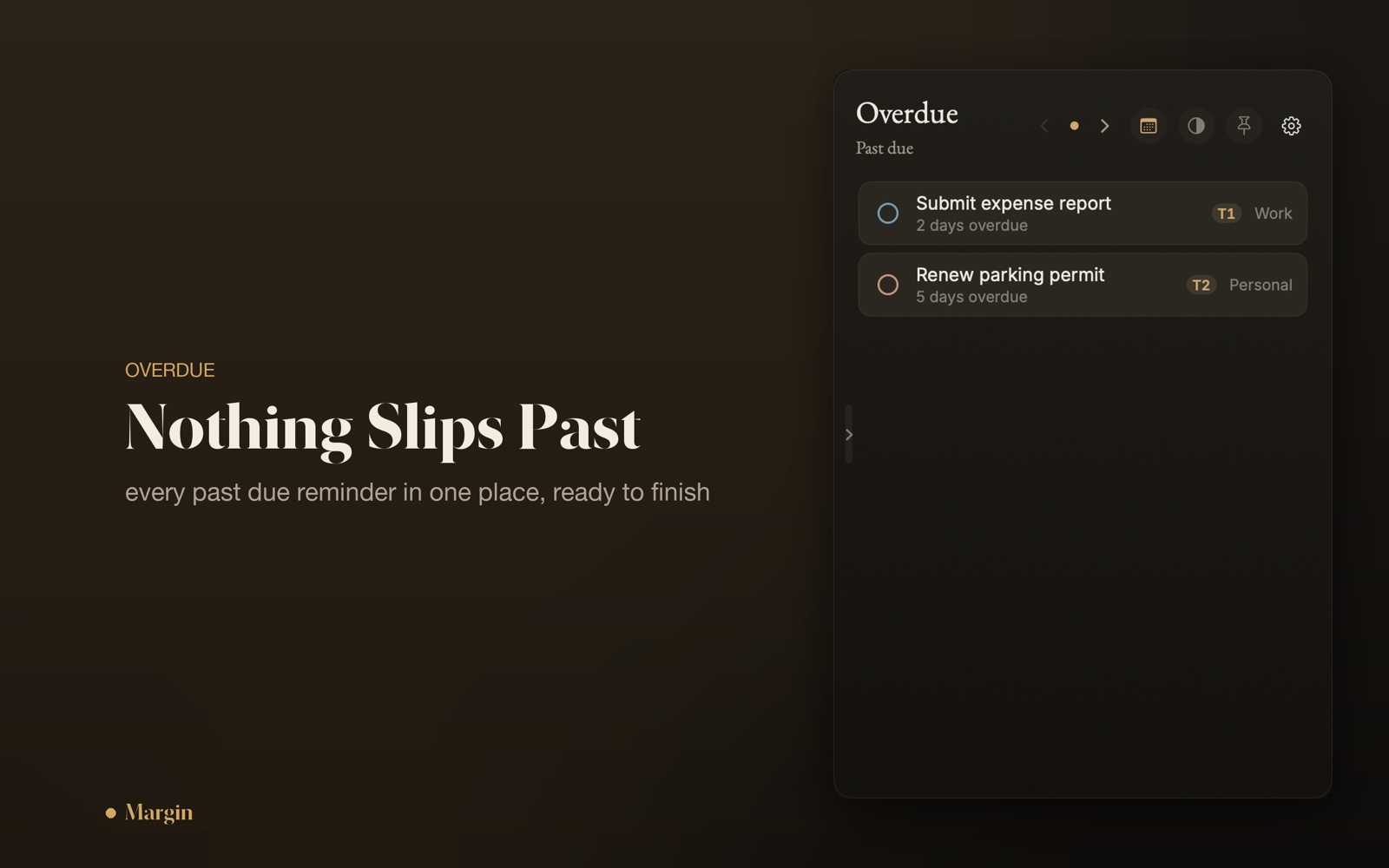
A short tour: capture in plain words, the day timeline, and freeing up time.
Features
From a sentence to a schedule.
-
One keystroke, your own words
Option+Space summons a floating capture bar. Type a sentence in English or Arabic, press Return, and it lands as an Apple Reminder or a Calendar event, however you phrase the time.
-
A day at the edge of your screen
A slim timeline docks to the edge of the display, with a live now line, a working-hours band, and blocks colored by list. The shape of your day, always one glance away.
-
Two-way Apple sync
Built on EventKit. Items become real Apple Reminders and Calendar events, and edits made in Apple's apps flow back into Margin.
-
An assistant that knows its place
Optional help from Apple Intelligence on your Mac, or your own OpenAI, Anthropic, or Gemini key. It fills in only the date and time, and never rewrites your words.
-
Find a free slot by asking
Ask for an open block and Margin shows the options on your day, including around a colleague whose shared calendar you follow.
-
Reschedule by hand
Drag a block along the timeline with a precision magnifier. When a meeting wraps early, finish it and the freed time reopens on your day.
-
Send items anywhere
Type an at sign in the capture bar to send an item to any of your lists, pulled straight from your real Apple accounts.
-
No account
Nothing to sign up for and nothing to sign into. Your data lives in your own Apple Reminders and Calendar, on your Mac.
Screenshots

Version history
-
1.0.012 July 2026
First public release. One keystroke (Option+Space) turns plain language, in English or Arabic, into an Apple Reminder or Calendar event, however you phrase the time. An optional assistant, Apple Intelligence on your Mac or your own OpenAI, Anthropic, or Gemini key, fills in only the date and time and never rewrites your words. A slim day timeline docks to the edge of the screen with a live now line and a working-hours band; ask it to find a free slot, drag to reschedule with a magnifier, finish a meeting early to reclaim the time, plan around a colleague's shared calendar, and send items to any list by typing an at sign. Two-way EventKit sync, no account. Coming to the Mac App Store, and available as a Developer ID notarized direct download.
Privacy
Your data stays on your device
Margin is local-first. Your reminders and events live on your Mac, in your own Apple Reminders and Calendar accounts through Apple's EventKit. There is no Margin account, no analytics, and no tracking. The only time anything leaves your device is if you turn on the optional assistant with your own API key; then the sentence you typed goes to the endpoint you picked, with the key kept in your Keychain. With the assistant off, which is the default, Margin makes no network connections at all.
Read the full privacy policy →